Showing posts with label Internet Explorer. Show all posts

Friday, February 05, 2010

IE more popular than you think, researcher says

Since many enterprise users run multiple browsers, IE's use is under-reported

Microsoft's Internet Explorer (IE) is used much more often than most assume, a researcher asserted today.

According Devil Mountain Software, nearly 57% of the 23,0000 PCs in the company's community-based Exo.performance.network (XPnet) run at least two browsers: IE and either Mozilla's Firefox, Google's Chrome, Opera Software's Opera or Apple's Safari for Windows.

New mining of XPnet's data has revealed a more precise accounting of the multiple-browser phenomenon in the enterprise, said Craig Barth, the CTO at Devil Mountain.

More than 32% of the machines that Devil Mountain monitors run both IE and a version of Firefox, said Barth, making Mozilla's browser the top No. 2 browser in corporations. Google's Chrome is the No. 2 second browser: 18% of the systems run both IE and Chrome. Opera and Safari are far behind Firefox and Chrome, running in conjunction with IE on only 4% and 3% of the machines, respectively.

Barth argued that the numbers challenge the conventional thinking regarding browser usage share, as regularly spelled out by the likes of NetApplications.com, a California company that measures traffic to some 40,000 Web sites to determine each browser's share of the total.

"While IE's presence across the broader Internet may have declined in recent years, its stranglehold on enterprise IT application compatibility, development practices and in-house deployment standards remains as firm as ever," Barth wrote in a blog posted today.

"When users can install another browser, and not all can, they're still forced to deal with IE with internal applications or sites," Barth said in an interview today. "IT forces them to use IE during the day within the company, but when they want to browse the [external] Web -- if they can -- they want to use another browser like Firefox or Chrome."

Because Internet metrics firms measure browser usage on only the public part of the Web, they're not seeing the true usage trends of IE, Barth argued.

For example, NetApplications' most recent data claimed that IE accounted for 62% of all browsers used worldwide last month, down 10% from the year before. In comparison, XPnet says nearly 80% of all PCs in business run Microsoft's browser, with that number barely budging of late.

NetApplications agreed with Barth. "[While] we believe determining which browser is actually being used to visit Web sites is a more useful measurement than which browsers are installed & I would suspect that IE is installed on a far higher percentage of devices than our reported usage market share for IE," said Vince Vizzaccaro, executive vice president of NetApplications.

"The enterprise is a huge stronghold for Microsoft," said Barth. "Microsoft hasn't aggressively tried to move people off IE, or even older editions of IE. They don't have to. For their bread and butter, corporations, IE is still the dominant browser."

Barth has a point. While Microsoft has publicly urged consumers to upgrade from IE6, it has admitted it can't and won't push businesses as hard. The nearly-nine-year-old browser has had more than its share of vulnerabilities, including high-profile Chinese attacks against Google. "While we recommend Internet Explorer 8 to all customers, we understand we have a number of corporate customers for whom broad deployment of new technologies across their desktops requires more planning" a Microsoft spokeswoman said earlier this week.

The XPnet data also shows rapid adoption of Google's Chrome as a second browser, Barth added. "Chrome is going gangbusters," he said, noting that 24% of all the machines monitored run Chrome during a typical workday. (That 24% includes the 18% who run both IE and Chrome, Barth added.)

On Chrome at least, XPnet and NetApplications agree: The latter has tracked a doubling of the Google browser's share in the last six months.

In comparison, Barth called Firefox's usage within XPnet as "essentially flat" for the last several months. "Firefox is the one to worry," Barth said today, repeating comments he made last month when he said, "If anyone is going to get their lunch eaten, it's Firefox."

Users who want to contribute to Xpnet's data collective can do so by downloading and installing a small utility, DMS Clarity Tracker Agent, from Devil Mountain's site.
Read More

Tuesday, January 19, 2010

Browse safely with Internet Explorer

Unless you're brand new to computers, the recent news that an Internet Explorer hole was exploited in China-based attacks against Google Gmail users and dozens of high-tech companies was no surprise.

Lately, malware has increasingly targeted holes in media players such as Adobe's Flash Player and Reader PDF software, so the Chinese attack on IE is in some ways a throwback. Many tech pundits have responded by recommending against using Internet Explorer at all. The free and easy availability of alternative browsers such as Firefox, Opera, Apple's Safari, and Google's own Chrome would appear to make this sound advice.

Unfortunately, some Internet users don't have a choice of browser. The Web sites of many organizations use custom applications that require IE. More importantly, Windows itself relies on Internet Explorer to receive updates and for other behind-the-scenes operations. Even if you never open IE, you still need to make sure the browser is fully patched and up to date.

Review IE's security settings
In a mid-November post, I compared the security features of IE 8, Firefox 3, Chrome 4, Safari 4, and Opera 10. Topping the list of new security features in IE 8 are automatic blocking of click-jacking and cross-site scripting attacks, automatic crash recovery, and highlighting of the actual domain name in the address bar.

That's why the safest thing any Internet Explorer user can do is upgrade to version 8. If you must use IE 7, be sure to keep the browser patched and set to either its High or Medium-High security setting. To check IE's security settings, click Tools > Internet Options > Security. In IE 7 and 8, make sure the option to Enable Protected Mode is checked (it's on by default in IE 8 on XP SP3, Vista SP1 and SP2, and Windows 7).

IE 8 also enables Data Execution Prevention (DEP) by default, although you can turn on the feature in IE 7 by clicking Tools > Internet Options > Advanced, scrolling to the Security section, and making sure "Enable memory protection to help mitigate online attacks" is checked. Mary Landesman provides instructions for setting DEP in IE 6 on the About.com site.


Make sure Data Execution Prevention is enabled in IE (it's on by default in IE 8, shown here).

Enabling IE's Protected Mode and DEP features will go a long way toward keeping you safe from malware attacks. But if you're still feeling vulnerable, there are two other things you can do to batten down IE's hatches.

The first is to sign in to a standard user account rather than to an administrator account. When using a standard account, you'll be blocked from such activities as downloading and installing programs and changing system settings. You can overcome the block by entering an administrator ID and password for the PC.

Lastly, you can set Internet Explorer to the High security setting by raising the slider control under the Security tab in Internet Options. Many people find IE's highest security level too restrictive for everyday browsing, but you can customize the settings by selecting the "Custom level" button, making your own security choices, and clicking OK twice. You'll have to restart IE for your new settings to take effect.


Customize IE's security options by clicking "Custom level" on the Security tab of the Internet Options dialog.

For Microsoft's take on the IE security flaw targeted by the Chinese government, see the company's Security Advisory 979352, which was released on January 14 and updated the following day. On the Microsoft Security Response Center blog, Jerry Bryant states that the company will release the update that patches this hole "as soon as the appropriate amount of testing has been completed."
Read More

Sunday, January 17, 2010

Germany advises its citizens to say 'nein' to Internet Explorer

Microsoft's revelation that an Internet Explorer security flaw served as an impetus in the assault, Germany's Federal Office for Information Security has released a warning to its population: avoid IE. Specifically, the report calls out the latest three versions -- 6, 7, and 8 -- but let's face it, those older versions should be avoided on grounds of usability alone. Boy, bet the Bonn-based agency is happy about that Windows 7 web browser ballot screen, eh?

Read More

Saturday, January 16, 2010

It's time to stop using IE6

If your organization is still using Internet Explorer 6 on Windows XP, just stop. Stop it now.

The marketplace is filled with credible alternatives to IE6, including Mozilla Firefox and Google Chrome. If you need to use Internet Explorer because it’s required for compatibility with specific websites or apps, you have alternatives from Microsoft itself. IE6 was replaced with the newer, more secure Internet Explorer 7 in October 2006, more than 40 months ago. And Internet Explorer 8 was released in March of 2009, nearly a year ago. Both browsers have large improvements in usability, including tabbed browsing, but their biggest selling point is security.

Any IT professional who is still allowing IE6 to be used in a corporate setting is guilty of malpractice. Think that judgment is too harsh? Ask the security experts at Google, Adobe, and dozens of other large corporations that are cleaning up the mess from a wave of targeted attacks that allowed source code and confidential data to fall into the hands of well-organized intruders. The entry point? According to Microsoft, it’s IE6:

At this time, we are aware of limited, targeted attacks attempting to use this vulnerability against Internet Explorer 6. We have not seen attacks against other versions of Internet Explorer.

[…]


Newer versions of Internet Explorer and later Windows releases are at reduced risk to the exploit we have seen due to platform mitigations explained in the blog post below.

Under the “Mitigating Factors” heading, the Microsoft Security Response Center specifically notes that the exploit used in this case does not run under IE7 and IE8 in Windows Vista or Windows 7. You’ve got one extra layer of protection if you use IE8, even under Windows XP Service Pack 3, thanks to Data Execution Prevention, which is enabled by default.

The accompanying blog post from Jonathan Ness of the Microsoft Security Research Center Engineering group is even more blunt:

I want to make one thing perfectly clear. The attacks we have seen to date, including the exploit released publicly, only affect customers using Internet Explorer 6. As discussed in the security advisory, while newer versions of Internet Explorer are affected by this vulnerability, mitigations exist that make exploitation much more difficult.

If your organization is still forcing you to use IE6 on Windows XP, send this blog post to your CEO, your CIO, and every member of your company’s Board of Directors. Be sure to include this graphic:


Yes, this vulnerability will be patched, probably within days. But the next one is just around the corner, or perhaps an exploit is being deployed right now. In 2010, with multiple alternatives available, there is no excuse for continuing to use an insecure Internet infrastructure.

IE6 users, it’s time to move on. Your IT staff has had more than three years to come up with alternatives to IE6. If they can’t handle it, maybe it’s time to replace them, too.
Read More

Friday, January 15, 2010

Microsoft Warns of IE Flaw That Compromised Google

New evidence points to a previously unknown vulnerability in Internet Explorer as the hole through which criminals recently attacked Google and other companies, rather than a known, but unpatched vulnerability in Adobe Acrobat and Reader, as had previously been claimed.

Microsoft has issued an advisory for the new vulnerability in IE listing every currently supported version except IE5 on Windows 2000 as vulnerable. As described by Microsoft: "It is possible under certain conditions for [an] invalid pointer to be accessed after an object is deleted. In a specially-crafted attack, in attempting to access a freed object, Internet Explorer can be caused to allow remote code execution."

There are some important mitigations to this vulnerability:
  • DEP (data execution prevention) blocks it, and Microsoft has created a KB article with quick links to enable and disable DEP, if your system supports it, as all modern software and hardware do.
  • Protected Mode in IE7 and IE8 in Windows Vista and Windows 7 "limits the impact of this vulnerability." This means that the exploit code runs in the unprivileged context of IE, and can't likely do much damage.
  • If not running in Protected Mode, the attack code runs with the same privileges as the logged-in user, so running them as a standard user can limit the impact of the vulnerability as well.
  • Users running on Windows Server 2003 and 2008 run, by default, in Enhanced Security Configuration and limiting the impact for sites not in the Windows Trusted Sites zone.
  • HTML e-mail in Outlook, Outlook Express and Windows Mail opens in the Restricted Sites Zone, which prevents scripting and ActiveX controls, which Microsoft says should mitigate the attack. Unsurprisingly, this is a clue that the vulnerability is invoked through scripting and/or ActiveX controls.

Microsoft says that they are aware of "limited, active attacks attempting to use this vulnerability against Internet Explorer 6." This is worded interestingly, in that we have been led to believe that many companies were attacked and surely some of them use IE7 or IE8 on Windows XP (on Vista or Windows 7 the attacks would be blocked by Protected Mode). Perhaps the vulnerability is easier to exploit through IE6 than through more recent versions. It wouldn't be the first time that happened.

Just yesterday analysts, VeriSign iDefense among them, were claiming with certainty that the most recent PDF vulnerability, just patched by Adobe, was the vector used in the attacks. It was so easy to believe that this was the case because PDF vulnerabilities are a popular and growing vector for attacks and lend themselves well to targeted attacks.

But now Adobe is claiming that there is no evidence that "Adobe technology" was used as an attack vector. An MSRC (Microsoft Security Response Center) blog entry on the matter states that the IE 0-day was "one of the vectors used in targeted and sophisticated attacks against Google and possibly other corporate networks." This implies that there are others, although they take no position on what those were.

Adobe points to a McAfee Security Insights blog entry that names the mass-attack "Aurora" and states that they have analyzed "several pieces of malicious code" involved in the attack. It seems it was they who identified the new IE 0-day and reported it to Microsoft. They confirm that all versions of IE are vulnerable, but only IE6 was targeted.

Incidentally, in their advisory Microsoft thanks these companies for working with them and providing details:
- Google Inc. and MANDIANT
- Adobe
- McAfee


MANDIANT is an threat management and incident response company which, it would seem, worked with Google on the incident. You know who the other companies are and what roles they played.

Clearly there is still a great deal about these attacks that is not yet public and we need to refrain from jumping to conclusions. Adobe's role in this, for example, could easily be just another victim of the attack, an attack which they claim was largely thwarted. We can also say, based on what we know so far, that the standard best practices advice we always give would have gone a long way towards repelling these attacks: Run current versions of operating systems, browsers and other key software and employ multiple levels of defense. There were already, for example, no end of good reasons not to run IE6 anymore, but now you have one more.
Read More

Thursday, January 14, 2010

So, who out there has uninstalled IE8 from Windows 7?

Windows 7 gave users the ability to remove Internet Explorer 8 from the OS (well, the executable, but that’s a start). Has anyone out there actually made use of this feature?

So far, I’ve only come across a handful of people who’ve actively made the choice to dump IE. Most users, even those using other browser, don’t seem to think that it’s worth the effort to get rid of the browser, even though it’s only a few clicks.

Internet Explorer has managed to keep out of the negative security limelight, but in light of the reports that Internet Explorer might have played a part in the cyber attacks against Google and Adobe, the ability to remove the built-in browser from Microsoft’s new OS might be getting more press, and a workout, over the next few days.

Here's how to uninstall Internet Explorer 8 from Windows 7.

- To begin, click on "Start," and then "Control Panel."
- Next, click on Programs. Then, under "Programs and Features," click on "Turn Windows Features on or off."
- On the Windows Features window, remove the check from the check box next to Internet Explorer 8, and then click "OK."
- If you change your mind and decide you want IE8 back on your computer, simply go back to Windows Features and re-enable Internet Explorer by selecting the check box and clicking "OK." This will also require a restart.
- Once the restart is complete, you've managed to successfully uninstall Internet Explorer 8 from Windows 7.

So, who’s Windows 7 OS is an IE-free zone? What was your motivation behind uninstalling it?
Read More

Microsoft Should Kill Internet Explorer

It's time for Microsoft to kill Internet Explorer. It has to be done quickly, before it's too late to rebound. The browser is bleeding market share in a way that a new version alone cannot stop. It's time for the company to rethink the browser and come at it from a fresh perspective. Microsoft needs a new browser, not a new version of an existing one.

Mind you, I'm not arguing that Microsoft should get out of the browser game. I still think the software giant has a lot to offer. Features like WebSlices and InPrivate are nice advances, and Microsoft has been at the forefront of anti-phishing technology. I'm just saying that continually creating new versions of Internet Explorer is not the way to go.

IE is in a terrible market share slide, and a new version isn't going to solve anything. Wikipedia averages out IE's market share to 62.69% as of December 2009. It's losing about one percent a month. Here at PCWorld.com, IE accounts for only 43.9% of browsers visiting the site - it's still ahead of any other one browser, but Firefox, Chrome, and Safari combined account for 53.7% of our visitors. IE is losing a percentage point every month worldwide, and that's just the start. There will come a tipping point where that loss will accelerate, and simply kicking out a new and shiny IE9 isn't going to stop the slide. After several years of lackluster versions, the IE name is now poison. It's time for a new browser with a new name.

Certainly, Microsoft is cooking up some good tech for IE 9. This video on Channel 9 showcases some of it. Drawing the browser window with Direct2D for perfect font rendering and smoother web apps? That's pretty cool! Unfortunately, nobody will care about these things if the browser doesn't become something much more than what it is today.

On the following pages are six ways Microsoft can revive its browser business.

New Name, New Face

1. Drop the Internet Explorer name

Calling a browser Internet Explorer in 2010 would be like Ford still flogging the Taurus brand. It conjures up images of the old Netscape days, when the web was an entirely different place. And by the way, there are plenty of folks out there that believe, right or wrong, that Microsoft won that battle by cheating. Why not call it the Bing Browser? You're hot to push that brand name, and people actually seem to like the Bing search stuff you're doing (those who have tried it, anyway).

2. Redesign the interface from scratch

Every new version of IE looks like a modified version of the one that came before. You can't ship a 2008-looking piece of software in 2010, and changing the name (see #1 above) won't get you anywhere if it still "looks like IE." Don't leave the interface design in the hands of the current Internet Explorer team, or the team that redesigned Office, or the Windows team. Give it to a group of fresh thinkers, like the designers that came up with the excellent Zune desktop software. The Zune app is smooth and clean, borderless, and doesn't rely on the staid icons and scroll bars of the general Windows UI.

In other words, it looks decidedly un-Microsoft, and that's the goal here. This isn't to say this future browser should look like the Zune desktop app. Consider, however, that the Zune app does what Windows Media Player does, fundamentally (organize and play music and video files) without looking or behaving anything like it. Don't make IE like you're making another Windows Media Player, make it like you're making a new Zune client.


Start axing buttons and drop-down boxes left and right. Who uses the Home button anymore? People just create new tabs with a default loading page. Reclaim as much space for actual web pages as possible, so we can see more of the sites we visit on those netbooks and ultraportable laptops with small 1280x600 screens. Dump the search box, as Google has done with Chrome - if it's not a URL, the browser should be smart enough to search our bookmarks, history, and the web. While you're at it, get rid of the title bar and status bar, and consider redesigning or moving the tabs and bookmarks bar to maximize the main browser window.

3. Pile on the useful new features


People don't want to browse their search history, they want to search their search history. And why make it a boring list? Let users open a "history tab" that shows sortable thumbnails of previously-visited sites that filter down instantly as you search. Work in some of the super-cool magic of that Pivot application the labs guys kicked out. That's just one simple example of how you should be re-thinking basic browser functions like bookmarks and new tabs/windows. I mean, keeping bookmarks synchronized across your PCs is a no-brainer...you need to go much further.

Add-ons, Standards, and Speed

4. Develop a new, robust, easy-to-develop-for add-on interface

Do people love Firefox because it's faster? Maybe. Half the people I talk to love it because they love their add-ons. There are add-ons for Internet Explorer, but let's face it, they pale in comparison to what you get on Firefox and now Chrome. Developers should be able to create FTP clients, bookmark managers, password managers, and yes even ad- and script-blockers. Look at where Firefox and Chrome are today and ask yourself "if the browser is a platform, then what is the next logical step in add-ons?"

5. Forget backward compatibility

You're already working hard on making the next Internet Explorer more standards-compliant and offering neat new features like Direct2D acceleration, much faster javascript performance, and so on. Great. Now forget about the ridiculous "compatibility mode" present in IE 8. If people still want to see something the way IE will show it, keep making IE 8 available to them. The new browser should have one mode and one mode only - full standards compliance mode. Yes, it might break some web pages. Guess what? Ask any web developer and they'll tell you every browser presents some formatting challenges from time to time, and what they want is an honest attempt to nail the standards, not to nail the existing sites. Sites are constantly being tweaked to work correctly in one browser or another; you're not breaking anyone's back by dumping support for "the way IE used to draw things."

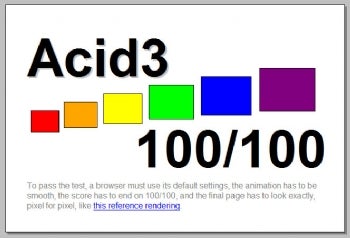
If you really want to earn some cred with the alpha-geeks that influence the usage of everyone else, you should totally ace the Acid 3 test and the CSS Selectors suite. Yes, it's objectively more important to really get right all those features actually in use by the most popular sites in the world, but end users can't test across that the way you can. What they can and will do is run these sorts of publicly available tests and judge your browser on them, quickly proclaiming the slightest hiccup as "yet another total failure of Microsoft to understand the importance of standards compliance." Unfair? Perhaps, but that's the reality.

6. You can't be too fast or too light

Your next browser is going to be gauged quite heavily on how fast it starts, renders pages, runs javascript benchmarks, and how well it utilizes multi-core systems (especially with a lot of tabs open). Don't be fooled by IE's current leadership in market share. It's like the stock market - it doesn't matter how high or low you are, only whether you're moving up or down, and IE is on a serious and prolonged downward slide. You're coming from "distant third" position in desirability, and you need to have the kind of performance that will make people switch back from browsers that are already really fast (think of the performance of future versions of Firefox and Chrome!). It simply can't go fast enough. That Direct2D acceleration trick is a great start.

With all the focus on netbooks and small ultraportables these days, and the extended battery life they provide, your ability to render the tough web pages in an energy efficient manner is going to be key. Mark my words - battery benchmarks on demanding websites is the next great browser benchmark battleground. Plan to be in the lead.

Can Microsoft make a comeback in the battle for the browser? I think they can, but only if the company make a major mental shift. I know what you're thinking. "A rose by any other name..." Just because Microsoft makes another browser doesn't mean it's just another Internet Explorer with a new coat of paint, but only if it is developed with the passion and purpose of creating a new browser out of whole cloth. The mindset of making a "new version of Internet Explorer" has to go. The company needs to build a completely new browser product, with a new name, new look and feel, and new features - possibly built by a new team (or at least, with a lot of fresh new blood in the existing team). Microsoft needs to approach the browser as if they don't already have one and are trying to introduce a totally new and hot consumer product into a fierce, crowded, and rapidly changing market. Are they up to the task? I think products like Zune HD and Xbox 360 are examples of how MS can make critically successful game-changing products with the right mindset, and only needs to apply this thinking to the browser.


Microsoft should ace the Acid 3 test, even if they don't think it's that important.
Read More

Wednesday, January 06, 2010

Microsoft Web-graphics move signals IE ambitions

In a new sign of Microsoft's ambitions to make Internet Explorer more competitive with rival browsers, the company said Tuesday it's joining a group overseeing a graphics format that offers some advantages for today's Web.

Specifically, Microsoft signed up for the Scalable Vector Graphics (SVG) Working Group, part of the World Wide Web Consortium (W3C). Mozilla's Firefox, Apple's Safari, Opera Software's Opera, and Google's Chrome all support the SVG format along with a different variety of vector graphics called Canvas 2D.

"We recognize that vector graphics are an important component of the next-generation Web platform," said Patrick Dengler, senior program manager on Microsoft's Internet Explorer team, in a blog post. "As evidenced by our ongoing involvement in W3C working groups, we are committed to participating in the standards process to help ensure a healthy future for the Web. Our involvement with the SVG working group builds on that commitment."

Dengler didn't commit to add SVG to IE, and the company declined to comment about that possibility when asked.

But Microsoft has lit a fire under its browser team to make Internet Explorer more competitive and to comply with various standards, so it would be surprising if the company didn't do so at some point. Microsoft's SVG work could have effects beyond IE, too: though Microsoft has a browser to build, it also has an interest in being able to build demanding, rich Web applications such as its online version of Microsoft Office.

Most graphical elements on the Web today are encoded with file formats such as JPEG that produce a grid of pixels called a bitmap, but vector graphics formats such as SVG can be useful for drawing objects such as logos that can scale to large or small sizes. That's particularly useful in today's world where Web sites must work on everything from tiny mobile-phone screens to 30-inch monitors.


Bitmap images, such as this part of Wikipedia's logo, don't scale gracefully to different sizes

SVG lets this Wikipedia logo be shown as many pixels wide as you'd like.

In October, Google hosted a conference on SVG. Brad Neuberg, a Google programmer and speaker at the conference, said at the time that Web programmers are hesitant to embrace a technology that's not built into Internet Explorer, which remains dominant despite gradually dwindling share of worldwide usage.

"It's hard to deploy this when you can't use it on most of the installed base," Neuberg said in an earlier interview.

SVG fans can take heart in the enthusiasm Dengler expressed for the format.

"To date, I have had several interactions with the SVG Working Group, and their clear dedication to creating a great technology for end users and developers alike stands out," he said. "I personally look forward to future and more direct involvement with this great set of folks."

An official response from the SVG group arrived in the blog post comments:

"On behalf of the SVG WG, let me welcome you to the group. We're excited by your joining, and look forward to your participation...and hopefully SVG support in IE9!" said Doug Schepers. "There is definitely room for improvement in the SVG specs, and some new features to make it even easier to author... Your help there will be really valuable."

Microsoft is working on related technology in the upcoming IE 9 browser that could help SVG, too. It's rebuilding the browser on a graphics foundation called Direct2D that brings hardware acceleration to graphics and text display on Windows Vista and Windows 7. That foundation should accelerate handling of vector graphics including SVG and Canvas 2D, Microsoft has said.
Read More

Monday, November 23, 2009

Microsoft confirms IE6, IE7 zero-day bug

No word on patch plans; disable JavaScript, say researchers

Microsoft today confirmed that exploit code published last week can compromise PCs running older versions of Internet Explorer (IE), but said its security team has not yet seen any in-the-wild attacks.

The attack code, which was posted Friday to the Bugtraq security mailing list, affects both Internet Explorer 6 (IE6) and the newer IE7, Microsoft acknowledged. "Microsoft can confirm that the publicly available exploit code affects IE6 and IE7, not IE8," a company spokesman said in an e-mail reply to questions today.

IE6 and IE7 account for more than 41% of all browsers used worldwide, according to the most recent data from metrics firm Net Applications. IE8, meanwhile, has an 18.1% market share.

Over the weekend, Symantec researchers took note of the exploit code, but said that it was shaky. "The exploit currently exhibits signs of poor reliability, but we expect that a fully-functional reliable exploit will be available in the near future," the security company's analysis team said in an entry on a company blog Saturday.

According to Danish vulnerability tracking vendor Secunia, the flaw is in IE's layout parser, and could be exploited by hackers to hijack fully-patched Windows XP Service Pack 3 (SP3) machines. Secunia rated the vulnerability as "highly critical," its second-highest threat ranking.

Microsoft declined to answer questions about which versions of Windows are vulnerable. Windows Vista, for example, ships with IE7. Windows 7, however, relies on the unaffected IE8.

The company also declined to spell out plans for quashing the IE bug. "Microsoft is investigating new public claims of a possible vulnerability in Internet Explorer," the spokesman said, using boilerplate that the company regularly rolls out when it's asked about patching progress. "Once we're done investigating, we will take appropriate action to help protect customers ... [which] may include providing a security update through the monthly release process, an out-of-cycle update or additional guidance to help customers protect themselves."

Microsoft will issue its next scheduled security updates in a little more than two weeks on Dec. 8.

One security researcher said it's unlikely Microsoft will move fast enough to make that deadline. "Seeing as though they haven't even posted an advisory, and with the holiday this week, I'm doubting a Dec. 8 release," said Andrew Storms, director of security operations at nCircle Network Security.

More likely, said Storms, is that Microsoft will offer steps that IE6 and IE7 users can take to defend themselves.

On Saturday, Symantec recommended that users disable JavaScript in IE6 and IE7, a move that could stymie attacks, since the current exploit code requires JavaScript.

To turn off JavaScript, users should select the "Tools" menu in IE, then click "Internet Options," the "Security" tab and the "Internet" content zone. Next, click "Custom Level" and in the "Settings" box, click "Disable" under "Active scripting." Click "OK" in the current dialog box, as well as the next.
Read More

Friday, November 20, 2009

Internet Explorer 9 to sport GPU acceleration and HTML5 support


Even if you don't have a favored fighter in the browser wars, you have to admit Microsoft's Internet Explorer has been looking mighty unfit over the last few years. Younger and fitter contenders like Mozilla's Firefox and Google's Chrome have arguably overtaken the old stalwart, and now Microsoft is making some much-needed noise about fighting back. The software giant has been giving developers and curious journalists a very early peek into its IE 9 progress at PDC, with its stated ambitions including faster Javascript (see table above), HTML5 support, and hardware acceleration for web content. By harnessing DirectX and your graphics processor, the new browser will offer improvements in text readability and video performance, as well as taking some of the load off the CPU. Development has only just got under way, mind you, so there's still plenty of time to screw it all up. Or make it awesome.
Read More

Wednesday, November 18, 2009

With IE 9, Microsoft fights back in browser wars

With Internet Explorer 9, Microsoft showed Wednesday it's trying to retake the browser initiative.

IE remains the Net's dominant browser. But perversely, it became something of a technology underdog after Microsoft vanquished Netscape in the browser wars of the 1990s and scaled back its browser effort.

That left an opportunity for rivals to blossom--most notably Firefox, which now is used by a quarter of Web surfers, but also Apple's Safari, which now runs on Windows as well as Mac OS X, and Google's Chrome, which aims to make the Web faster and a better foundation for applications.

Microsoft has been pouring resources back into the IE effort, though, and at its Professional Developers Conference in Los Angeles, some fruits of that labor were on display. In particular, Windows unit president Steven Sinofsky showed off IE 9's new hardware-accelerated text and graphics.


The acceleration feature takes advantage of hitherto untapped computing power in a way that's more useful than other browser-boosting technology such as Google's Native Client to tap into a PC's processor and Mozilla's WebGL for accelerated 3D graphics, said Dean Hachamovitch, general manager of Internet Explorer.

"This is a direct improvement to everybody's usage of the Web on a daily basis," Hachamovitch said in an interview after Sinofsky's speech. "Web developers are doing what they did before, only now they can tap directly into a PC's graphics hardware to make their text work better and graphics work better."

Why go to all this trouble? In short, to help keep the Windows business alive and kicking.

"Our goal in building a great browser for consumers and for everyone is that they are Windows customers. That's at the core of it," Hachamovitch said.

He didn't bring it up, but it should be noted that an increasing fraction of Microsoft's business is moving online, too, through its Bing, Live, and now online Office 2010 sites. "We want to build a better IE so all the Web sites have a better experience," Hachamovitch said.

Turning up the heat
Microsoft began work on IE 9 just three weeks ago, Sinofsky said. But signs have been clear that the company has taken interest in its browser again.

When it arrived earlier this year IE 8 brought significant new security and privacy features, and in a significant departure Web developers appreciate, it attempts to follow various Web standards such as HTML (Hypertext Markup Language) and Cascading Style Sheets.

More recently, Microsoft joined the HTML standards effort in August. And earlier this month, Microsoft sent a dozen IE team members to a World Wide Web Consortium meeting.

"High-quality specifications that improve interoperability between browsers are important. Our goal is to help ensure these new standards work well for Web developers and will work well in future versions of IE," said Adrian Bateman, a Microsoft program manager who's involved in the standardization effort, describing the motivation. That point of view is music to the ears of programmers who struggle to make sure their Web sites work with the ever-wider variety of browsers on the Web today.

Hardware acceleration
Under the covers, the IE 9 acceleration works by employing Microsoft's Direct2D interface rather than its GDI (Graphical Device Interface). Direct2D provides a general way for software to take advantage of hardware acceleration for graphics, and IE 9 will employ it.

"It's a remarkably different level of performance," said Hachmovitch, who's using the technology. "It's like the difference between watching Pixar or an Xbox vs. watching an old PC chug along."

Direct2D also facilitates a technology called sub-pixel positioning that can smooth the appearance of text on the screen. That cuts eyestrain, he said.

In a video touting the Direct2D browsing technology, Microsoft showed off the acceleration effect on a map-based Web site. While panning the view one way or the other, "The map literally keeps up with your mouse," said Microsoft graphics developer Christian Fortini in the video


Earlier in November, Firefox surpassed 25 percent usage share of Web browsers, according to Net Applications.

With the old technology, that chore can update the screen at a rate of about 5 to 10 frames per second while using 50 to 60 percent of the processor's horsepower, but using the Direct2D method, the frame rate jumps to a range of 40 to 60 per second while the CPU usage plunges, Hachamovitch said.

Compatibility sales pitch
Hachamovitch touted Microsoft's approach as broadly relevant and compatible with the Web as it stands today. Unlike Native Client and WebGL, it doesn't require new programming skills for Web developers.

"Web sites didn't have to change behavior and code in a different way" to take advantage of the Direct2D technology, Hachamovitch said. "With a lot of other technologies, it takes a lot of work and a lot of time to figure out how to do something different. It isn't necessarily an interoperable, standards kind of thing--it's something from one particular vendor. We're taking interoperable implementations of things like CSS, things that developers are using and expect to work everywhere, and making them demonstrably better."

He didn't comment on whether Microsoft supports some Web standards for better graphics, including Canvas and Scalable Vector Graphics, but he did say the new display technology will broadly help whatever graphics technologies IE does support. "Once we're on top of this super-rich graphics infrastructure, all the graphics we do will have this," he said.

And although Microsoft certainly hasn't committed to it, Eliot Graff, an IE lead technical editor, is helping edit the Canvas interface at the W3C group.

Full standards support remains a sore point when dealing with IE. On one test, Acid3, IE 8 scores just 20 out of 100. IE 9 currently scores 32, and "the score will continue to go up," Hachamovitch wrote in the blog posting.

Faster JavaScript
The acceleration is one aspect of performance Microsoft is focusing on. Another is the execution of JavaScript, a programming language used widely on the Web for everything from mundane tasks to full-on applications such as Gmail and Google Docs.

In another Microsoft video, John Montgomery, a leader of IE's browser compatibility and tools team, shows off the browser tackling all the components of the SunSpider JavaScript speed test.

"We're whipping through these faster than (IE) 8 was," Montgomery said. "We're pretty early in the development process. There's still some stuff we can still squeeze out of the engine, but we're doing a lot better than we were."

Hachamovitch, though, takes pains to point out JavaScript isn't the only bottleneck for browsers. Even though JavaScript engines are important enough to warrant brand names these days--Chrome's V8, Firefox's TraceMonkey, Safari's Nitro, Opera's Futhark and Caracan--Microsoft's prefers to shine a light on nine other aspects of browser performance.

In a blog post about IE9, Hachamovitch shows how a variety of chores--two different news sites and two separate tasks in Microsoft's online version of Excel--exercise different parts of the browser.

"The work we do in performance involves many systems in the browser," he said. "As these script engines converge and effectively have the same performance, you realize all the other subsystems get more important. You need the other nine parts of the browser to work, too."
Read More

Tuesday, November 17, 2009

Internet Explorer 9 not coming at PDC

Although Microsoft intends to talk a bit about its plans for the future of Internet Explorer this week, the company won't offer preview code of its next browser, CNET has learned.

The software maker is also not planning to announce a move to the WebKit engine, as some had speculated.

In his opening keynote at the Professional Developers Conference on Tuesday, Chief Software Architect Ray Ozzie pledged that Microsoft will make Internet Explorer the absolute best Windows browser, but did not offer further details.

Microsoft is expected to talk more about its browser plans as part of Wednesday's keynote speech. During that talk, he is expected to talk about some--but not all--of its "focus areas" for the next browser version, a Microsoft representative told CNET.

The latest version of IE 8 was released in March and is also built into Windows 7. Despite the new release, though, Microsoft faces intense competition from Firefox as well as from Google and Apple.

In addition, Microsoft has struggled to get Internet Explorer users to move past IE 6.
Read More

Saturday, November 14, 2009

Dolly Parton endorses IE 8 Web Slices

Here's a topic I never thought I'd write about: Dolly Parton, the famed country singer, has endorsed Internet Explorer 8 and its Web Slices feature on YouTube.

During a minute-long video, Parton says she "wouldn't know a gigabyte from a snake bite. But the folks over at Microsoft sure know their computers." She goes on to say Microsoft checked out her "new" Web site and "turned us on to a little thing they call Web Slices."

According to a Microsoft representative, the software giant showed Parton's Web team "the new features in IE 8 and Silverlight, and they liked it so much, they wanted to implement it on their site."

Parton's site now features a three-tab Web Slice that includes her video diary, news on her career, and the option to buy some of her music. The Microsoft representative said in an e-mail that the software company "wasn't involved in the production or scripting" of Parton's Internet Explorer 8 endorsement.


Web Slices, which is available only in IE 8, enables users to keep up with sites they check often, such as ones for Web mail or weather reports. According to Microsoft, "if a Web Slice is available on a page, a green Web Slices icon will appear in the Command Bar." Users can simply click on that icon to subscribe to that page's Web Slice. Once complete, that Web Slice will be displayed in the user's Favorites Bar to make it easier to keep track of those sites the user often visits.

But the very fact that Parton (a portion of whose site is now available as a Web Slice, by the way), would endorse Internet Explorer 8 is a bit surprising. As she points out in the video, she "didn't even know there [were IE versions] 1 through 7."

Regardless, Parton seems to have found her stride. After all, like the singer says, maybe Internet Explorer 8 really is "just like your own little slice of heaven."
Read More