Showing posts with label Google Android. Show all posts

Saturday, January 09, 2010

Google Android Personal Thoughts

I have issues with Android and Google’s approach to it. I think it’s an amazing concept — people holding hands, skipping down sugar-encrusted roads with pink ponies and colorful rainbows — but the execution falls flat in many ways if you’re a hardcore phone user, and Google has constantly missed the mark in almost every area.

Part of my main issue with Android, and this applies slightly less to HTC Sense UI handsets, is that there’s practically no human emotion with Google when it comes to technology. Everything is statistical and analytical. While you could argue that being this way is way superior to “feeling” and “emotion”– it might be 95% of the time — you still will almost always lose that charm and that amazing feeling of connecting to something. People would die for their iPhones, people would die for their BlackBerrys – and they feel like their lives are in there. People feel connected to their BlackBerrys. Some sleep with them next to their pillow. No one gives a crap about their Android phone, there’s zero emotional attachment. The closest example would be Palm’s webOS. A great concept, besides Apple’s iPhone OS, it’s the most polished, the most friendly, and the most human. Do you see that?

Hello. Fucking. Humans. If you’re going to use that line, at least have the sense to actually make it make sense. Plus, isn’t the point of all this technology to make everything feel more natural and more human? I mean, that’s why we have robotic dogs that learn (shout out to Just Blaze and I for having Sony AIBOs), that’s why our car remembers our personal settings when we enter the cockpit, that’s why our TiVos know exactly what program we want to watch. And yet, with everything moving forward in the technology space, Android continues to feel systematic and clinical.

Andy Rubin is brilliant. To this day, I still compare things to the Sidekick OS because it was so ahead of its time in every way, and it made sense. But Android still feels half baked even after two years. And you can’t prance around smiling without raising the bar. You can take your non-multi-touch device and shove it — it’s inexcusable.

There are so many fundamental issues with Android’s OS that still haven’t been addressed and it really makes my head spin. Uniformity is not a word you’ll find in Android’s dictionary. How about the fact that the application icons aren’t the same size. Uh, why? Since there’s no transparent padding around the icons — you know, something that might be smart — there’s no uniformity in the touch areas when you go to tap on an icon. The fact that the Clock and Camera icons have different touch areas than the Facebook and Email icons is mind blowing. It’s not like you’ll always end up not triggering a touch event if you go to hit the Camera icon instead of the Maps icon real fast, but more than once I’ve had touch events not register due to icons not being uniform in size or at least in touch. It’s a small, but very important point that really reflects how poorly Android is designed in some areas.

Other issues that I can’t live with day to day? How do I copy text from non-editable field like an email, webpage, or SMS, or even a 3rd party application? Oh, I can’t. Say what you want about the iPhone not having copy and paste for two years — a joke — it’s the single best implementation on the planet for a smartphone and Google’s approach is almost as bad as RIM’s with the Storm-series.

Android doesn’t make sense as a whole. It’s fragmented, poorly executed, the Android Market for apps is a mess, and developers still don’t care about it. There’s not one single good IM program that I could rely on day to day (I don’t use Google Talk), the browser is decent at best. It’s faster now, sure, there’s a 1GHz CPU under its ass, but it’s not intuitive, and there’s always erroneous touch events; when I want to hit something I hit another link, button or app by accident.

For a company that’s so smart, and makes so much sense, it’s unbelievable how little sense Android makes in most places. I just can’t see why you’d want to run Android over the iPhone OS? Multitasking? Ok, we’ll have that with iPhone 4.0. What else? App Store limitations? Come on. Plus there’s a chance iPhone 4.0 will be announced in literally weeks away (Apple will up their screen resolution on the iPhone to probably double, and have a new resolution for their “slate”) — you can be sure Apple is going to come out swinging. Android isn’t a game changer. It’s a decent OS, dreamed up by an incredibly smart man, with unlimited resources and unlimited access. That’s why even in Android 2.1, it’s so disheartening to see an operating system that I can’t use daily.

I apologize for comparing this to the iPhone so much, I really didn’t set out to. But I’ve used an iPhone every day of my life since it first came out in addition to every BlackBerry ever available simultaneously, and I actually had an open mind about the Nexus One possibly replacing my iPhone. I felt like maybe I wanted more “freedom” and “flexibility” and not have to deal with Apple’s ridiculous train of thought sometimes. I wasn’t too plugged into the Apple ecosystem. I already paid out the ass to upgrade my entire library to non-DRM status, I use Exchange and Gmail, both are supported on the Nexus One — nothing was really holding me back.

But in the end, I found that the lack of any meaningful applications for Android really made it a no go from the beginning. I’m talking about quality — re-read the word quality — applications, here. The best VNC and RDP applications on Android are a joke. There’s not a single enjoyable Twitter application, and any application that’s on Android that is available on the iPhone pales in comparison. If you can find an application on the Android platform that’s better than the iPhone counterpart, I’ll send you a BGR Ninja hat.

Seriously Google, you take no responsibility for the actual “experience” of this phone, yet you tout it as your tag line. Applications in Android Market don’t work for all devices. They have to be updated, they might not work with a new resolution, or all touch screen display — try using one of those NES/SNES emulators on the Nexus One — the comments and “reviews” on apps are worse than Sidekick user’s AIM screen names, there’s no authority and no accountability in Market, and outside of people that know what they’re doing, you’re basically leading the rest into a forest with wolves in the dark, while they’re bleeding and blindfolded. Why does the VNC application I bought and paid for crash on the Nexus One with a Java.IO error? Because your entire OS is fragmented, poorly driven, poorly policed, and because in typical Google fashion, you’re already on to the next thing before making this an absolutely flawless experience for users. What happened to ferociously making sure the absolute core applications in your package were 100% perfect before shipping? BlackBerry’s email application is flawless. Apple’s web browser is flawless. But there’s not a single application on Android that doesn’t have carbon spots in it. (Look it up)

Here’s another issue on why for the foreseeable future Android won’t be anything like what Apple or another company can offer: coders aren’t designers. It’s really as simple as that and anyone in the business will know exactly what I’m talking about. That’s why Apple’s entire developer ecosystem is different, because believe it or not, Apple’s developers are amazing designers that make beautiful things, and they happen to know how to code. That’s entirely different from someone who’s the best coder in the world and trying to create something that looks, works, and feels great. And so, this is my issue with Android and why you won’t see applications of iPhone-quality on Android aside from any SDK and programming hurdles.

If an app like Tweetie 2 existed on Android, I think the Android Market would literally crash, die, burn, and hang itself by how natural, beautiful, and thoughtful that application is. Now, multiply something like that 5,000 times and you’ll have an idea of why all this Android hype amounts to very little. We have the best Android device ever made in the history of the world, finally! Oh wait, Apple’s event is in 2 weeks and no one will remember this. Until Android 2.2 launches with a new device. Then I’ll write another review.
Read More

Sunday, December 27, 2009

Master Google Android: 40 Tips and Tricks

The first time you use an Android phone, one thing becomes immediately clear: You're not in Cupertino anymore.

Android, as recent Verizon commercials remind us, is the antithesis of Apple's celebrated handset: It's open source, fully customizable, and free from unexplained app rejections. If the iPhone is Apple's inalterable masterpiece, the Android platform is Google's open canvas. The palette is in your hands; it's up to you to add color.

We've assembled 40 tips and tricks to help you make the most of your Android phone. Some are specific to Android 2.0 or later, but most apply to any Android-based device. And not one of these tricks requires you to jailbreak anything.

So grab your phone, and get started--it's time for you to become a certified Android master.

Optimize Your Home Screen

1. Make the most of your space by using widgets--dynamic programs that operate right on your home screen. Simply hold your finger on any open space, and then select Widgets from the pop-up menu. Widgets come in a huge variety of sizes and functions, so search the Android Market to find what works for you.

2. Prefer not to be bothered by a sound every time an e-mail arrives? Head into Gmail's Settings menu and set its ringtone to Silent. You'll still see new-message alerts in the notification panel at the top of your screen, and you can always pull the panel down to get detailed information. You can configure text messaging and other alert-generating apps the same way.

3. Set up one-touch dialing for the people you call the most. Hold your finger on an open space and select Shortcuts. Then, touch Direct dial and pick the person from your contact list. If one-touch texting is what you crave, use the Direct message option instead.

4. To drop your favorite Web pages onto your home screen, long-press on any site in your browser's bookmarks and then select the Add shortcut to home option.

5. Try using folders to keep your home screen organized. Long-press on a blank space and select Folders to create one. You can then drag and drop frequently used contacts, apps, or other shortcuts into it to cut down on clutter. To rename a folder, press and hold the folder's title bar while it's open.

Get Around Android

6. Make file management a snap with a utility such as Astro, which allows you to browse through your phone just as you would a computer, navigating directories and moving or deleting files at will.

7. Need to cut and paste text? Long-press on any text input area. If you're on a Web page, tap the Menu key and use the Select text option.

8. Use Android's hotkeys to do everything from zooming in to a Web page to opening a program. Check out our complete list of Android keyboard shortcuts to learn them all.

9. You can set your own hotkeys to open apps, too. Head into the main Settings menu, select Applications, and then choose Quick Launch to get started.

10. If the on-screen keyboard pops up when you don't want it, touch it and swipe downward to make it disappear.

11. You can see the current date at any time by touching your finger to the top-left corner of the screen.

Stay Connected

12. To load files onto your Android phone, plug the handset into your PC and pull down the notification panel. Tap the USB connected box, and then tap Mount when the confirmation dialog box appears. Your phone will appear as a hard drive on your PC, and you can then drag and drop files as you wish.


13. Manage your music--and even import your iTunes playlists--with DoubleTwist, a free PC-based utility. The program's intuitive interface makes Motorola's Media Link offering look like a bloated relic.

14. Sync your Outlook calendar with your phone without the hassle. Install Google Calendar Sync and let it do the work for you.

15. To sync your Outlook contacts without using an Exchange server, try GO Contact Sync, an open-source utility for your PC.

16. Stay up to speed with your feeds with the help of NewsRob, a handy app that syncs your phone with your Google Reader account.

17. Want to have your PC's browser bookmarks on your Android phone? Download MyBookmarks from the Market to import them.

18. Get extra calling power by integrating Google Voice into your phone. Once you've signed up for an account, download the official app and watch your options expand. Bonus tip: Add the Google Voice widget to your home screen for one-touch toggling of your outgoing-call preferences.

19. You can send text messages for free through Google Voice--everything you need is in the app. Just make sure you change the settings to refresh every 5 minutes so that incoming messages won't be delayed. If you want faster notifications, log in to the Google Voice Website and configure your account to send you e-mail alerts when a new text arrives.

20. Get unbilled talk time by using Fring, a free mobile chat client for Android. Fring lets you make calls over Google Talk, Skype, and any SIP calling service.

21. Cut down on calling headaches by using the free Dial Zero app to call the companies you do business with. It lets you bypass annoying phone trees and get right to human representatives.

22. Keep annoying callers away by routing them directly to your voicemail. First, open the offending person's profile in your contacts list. Then, press the Menu button, tap Options, and check the Incoming calls box.

23. The Incoming Calls screen also holds the option for setting custom ringtones for callers. Tap Ringtone and change each person's tune as you wish.

24. Want to use your own MP3 files as ringtones? No problem: Make a new folder on your memory card and name it ringtones. Copy your MP3s there, and they will automatically show up in your selection list. Folders called alarms or notifications will do the same thing for those respective functions.

25. Check out the free app RingDroid. With it, you can easily edit an MP3 file to grab a precise segment of a song for a ringtone or system sound.

26. Android lets you keep multiple browser windows open at the same time. Long-press any Web link to open it in a new window. Tap the Menu key while in the browser to toggle between windows.

27. Prefer seeing Web pages in landscape mode? You can tell Android to always display sites that way. Select the Landscape-only display checkbox in the browser's Settings menu.

28. Android's built-in browser isn't your only option. Try Dolphin Browser for cool features such as tabbed browsing, gesture-driven commands, and multitouch zooming (yes, even on the Droid).
Secure Your Smartphone

29. Android includes an option to use simple patterns to secure your phone; to unlock the handset, you swipe your finger across the screen in a specific pattern. Look for Screen Unlock Pattern under 'Location and Security' in the main System Settings menu.

30. Want to back up your phone's data? Try MyBackup, which saves your apps, contacts, call logs, texts, and even settings to either your SD Card or a secure Internet server. You might also like SMS Backup, which periodically saves all of your texts into your Gmail account.

31. For even more protection, download Mobile Defense. The app allows you to use a PC to track your phone via GPS, remotely lock it, and then back up and wipe all of your data.

Add Essential Apps

32. If you handle a lot of Office files, Documents To Go may be just the thing for you. The free version gives you the ability to view Word and Excel files. The full paid version adds editing capabilities, along with PDF and PowerPoint viewing options.

33. Prefer working in the cloud? Get your hands on GDocs or ThinkFree Mobile Office, both of which make it a cinch to connect with your Google Docs documents.

34. If basic note-taking is all you need, download a PC-synced notepad such as GDocs Notepad. It saves documents directly into your Google Docs account for easy access.


35. For on-the-go photo editing, Adobe's Photoshop.com Mobile app is tough to beat--and it's free, too.

36. Jazz up your Android music experience with TuneWiki, which automatically finds and scrolls lyrics next to your songs as they play. Plus, it gives you access to Internet radio streaming and some cool community-sharing features.

Customize Your Phone Completely

37. Adjust how your phone acts by using Locale. The app lets you set custom profiles for practically any circumstance--having your ringer shift to silent when you're at work, for example, or making your screen glow brighter at night.

38. Take full advantage of your phone's LED by installing Missed Call, which configures your phone's light to flash specific colors when calls from certain people slip by.

39. Edit Android's custom dictionary to include your name and other proper nouns. That way, they'll pop up in the auto-complete list as you type. Look under Language and keyboard settings in System Settings to get started.

40. If you try an Android app and decide that you don't like it, return it. The Android Market will give you a full refund for up to 24 hours after any purchase, provided that you haven't tried to return the same app before.
Read More

Thursday, December 24, 2009

Android Smartphones Expected to Shine in 2010

Android phones will make significant headway in the smartphone market and 4G service providers will zero in on apps in 2010.
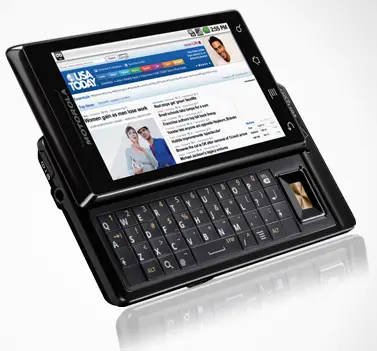
Those are a couple of the hot enterprise mobility trends identified by a trio of analysts.

What's stopping mobile apps from taking the next step?

Their new report is called "Predictions 2010: Enterprise Mobility Accelerates Again," and here's a summary of their ideas:

1. The top tier mobile operators will be ramping up 4G network investments, and looking to business and vertical applications as high value offerings for users who appreciate much faster download speeds and reduced latencies.

2. Machine-to-machine (M2M) applications and services will be available from most top tier mobile carriers. And they're expecting a big uptick in business, fueled by the spread of IP-based wired and wireless networks into whole new areas. One big one: so-called green IT and the overall trend toward "smart grids" to manage and reduce electric demand. Consumer M2M applications will cover remote monitoring of homes, appliances, automobiles; enterprise M2M will take off in focused vertical markets like healthcare, energy, transportation.

3. Mobile devices based on the Google Android operating systems will take 10% of the mobile device market in 2010. According to Forrester that uptake will be due to "heavy industry support" from Qualcomm, Verizon, Motorola and Google, as well as the growing embrace of the open OS by developers.

4. About 15% of non-mobile employees in 2010 will pressure IT to support their personal mobile devices for work activities, compared to 10% currently, according to Forrester. Smartphone-class devices are becoming more available, affordable and widely purchased, and their users want easy access to easy-to-use email, calendars, and corporate portals. Will IT accommodate the trend or fight it?

5. Mobile "app stores" will become a key software distribution channel for small-medium businesses, in addition to consumers. If permitted, smartphone users with app store access will be searching, buying, downloading and using a growing wealth of tools like expense management, staff approval and other productivity applications.

6. To cost-effectively manage this growth in mobile users, devices, and data, IT will look to emerging cloud-based mobility services. Rather than creating in-house device management, deployments, end-user support and security management, IT will look to a new breed of third-party managed services for these functions. A related trend: cloud services that reach deeper into the enterprise to deliver information on demand to smartphones, and coordinate the user's identity and information across several devices and applications.

7. Without any specifics, Forrester expects enterprise mobility vendors, especially application vendors, to continue merging or going out of business. Service providers and systems integrators will invest more in mobility solutions for vertical markets.
Read More

Tuesday, December 22, 2009

The Best Android Apps of 2009

With glowing reviews of the Motorola Droid and buzz about Google’s plans to build its own phone, 2010 could be the year of Google’s Android mobile phone operating system.

In the spirit of growing Android enthusiasm, Digits has rounded up the best-reviewed Android apps for those of you who might be joining the Android revolution.

While there aren’t nearly as many to choose from (Google has said there are around 16,000 available to date, as compared with Apple’s 85,000), the past year has seen the birth of a number of great Android apps.

Among music apps, TuneWiki, a winner in the Android Network Awards, allows users to stream music and Internet radio while showing the lyrics of songs that are played, or to view music videos from YouTube while also displaying song lyrics. Shazam, an app that’s also popular on the iPhone, solves the ever-present conundrum of “Wait, what song is this?” by identifying the artist and title of a tune while it’s playing, and then allows the user to download the song or visit the artist’s MySpace page.

Ringdroid allows users to clip portions of an MP3 or recorded audio by displaying its waveform, and then create original ringtones or alarms for their mobile phones. And the music streaming and social networking site iMeem, which was just acquired by MySpace, was voted as the best app for streaming music in the Android Network Awards.

In the entertainment category, Google Listen has been lauded for using Google search technology to help users find podcasts across categories, which can be streamed and stored.

MobileCrunch’s Greg Kumparak called Flixster’s Android app “one of the most well-designed applications I’ve seen on the Android platform,” adding that it’s one of the few he uses regularly. And SportsTap for Android provides sports news and stats with notifications from a user’s favorite teams.

As for productivity, utilities and reference, the ShopSavvy app makes it possible to comparison shop on the fly. Snap a photo of the barcode on a specific product using your mobile phone’s camera and the app tells you how much that product costs at various retailers, and also provides product reviews. With Wikitude, a user scans his or her surroundings with the mobile phone’s camera, and GPS provides information and commentary about surroundings and landmarks in the area.

Astrid, a to-do list app, is one of the most-downloaded free Android apps. It allows users to check off tasks as they’re accomplished and receive motivating reminders, and it backs up tasks for free at the task-managing Web site Remember The Milk.

The Talk To Me app translates between English and French, German, Spanish or Italian–when you say a phrase in one language, it will speak back in the translated language.

PC Magazine called Google Voice for Android “the best way to use Google Voice on a cell phone,” saying that it “offers a near-seamless experience with the company’s Web-based voice service.”

And the Google Sky Map shows a star map for a user’s location when the mobile phone is pointed toward the sky, displaying constellations, names of planets and the like.

Additionally, Google just announced the winners of its second Android Developer Challenge, which included SweetDreams, an app that lets users sleep worry-free by filtering out phone calls, saves battery power and inactivates WiFi and BlueTooth without the user having to disable each setting individually.
Read More

Saturday, December 19, 2009

How Google could turn the Android Market into something huge

Do you have an Android device yet? If you do, you will know that the selection of apps in the Android Market is limited, and on average, their quality is lower than comparable iPhone apps.

Let’s think about this predicament, and figure out a way for Google to create an Android Market that can rival the App Store. The first step is to analyze why Apple is successful right now, and at the same time apply those things to Google’s Android Market. The second step is to go beyond what has made Apple successful.

What the App Store does right:
1) Encourages developers to charge for their applications
Why does this matter? Well, let’s imagine what would have happened if apps were largely free for iPhones. As a developer looking to make some money on a really cool app, it would be discouraging to see that most of the applications you would be competing against are free. In fact, if there was no way to compete against exclusively paid apps (like on the Android Market right now), I would be looking for another platform to develop on.

An easy way to view “Top Paid Apps” (and make that the default view) is a quick and dirty first step into making the Android a more desirable platform for developers.

2) Review applications thoroughly
Apple has come under fire recently over their very strict review processes — but it really is an important piece of the puzzle. Without a review process, the number of low quality apps (clutter) quickly becomes unmanageable, and makes it difficult to discover great apps. Part of the problem isn’t necessarily bad developers, it has to do with the tools Google gives developers — as I discuss in point #3.

Google has no review process right now at all — you can upload an app, and it’s immediately available online. That’s great for individual developers, but terrible for the community as a whole.

3) Give developers high quality controls to use in their applications
If you look at iPhone apps, there are a lot of common elements that you can find from app to app. These are called “controls”, and the quality of them are very high on the iPhone. In comparison, Android app controls are quite low quality, and at least for me, gives me a sense that applications are “lower quality”, even though it’s not necessarily the fault of the developer.

Google needs to spend some serious time and effort on their suite of controls they give to developers to enhance their appearance, and performance. They should also take cues from languages like XAML — an extremely powerful markup language that gives developers an amazing amount of flexibility.

4) Have a desktop client sync tool for music, videos and apps
Apple has iTunes — an amazing piece of software that makes buying and listening to music on your computer extremely easy. People who are used to purchasing $0.99 songs through this software don’t even think twice before buying apps for the same price.

Google needs a piece of software that does the same thing. An easy piece of software with hooks into Lala and Amazon, Vevo and YouTube for purchasing and organizing music, videos, and Android apps.

Now what can Google do that Apple isn’t doing to take things to the next level? Well, there are a couple of things that I think could work — here are some:

1) Pay the developers a monthly or yearly “bonus” if they can maintain an excellent user rating on their apps
This would do two things — keep quality app developers happy, and spur a whole new breed of quality applications in the market.

2) Give every application in the Android Market its own support site.
Google can reuse the same application they developed for their own internal support sites. It’s more of a Q&A system that will give developers invaluable feedback to improve their applications, and to even generate a community around them as well.

What do you think of the Android Market, and how would you improve it?
Read More

Wednesday, December 16, 2009

Google: Actually, We Count Only 16,000 Apps In Android Market

Yesterday, I wrote a post on our sister site MobileCrunch about the estimated amount of applications that were available on Android Market according to AndroLib, which aims to serve as both a comprehensive directory and a search engine for Google’s mobile applications store.

The service’s automated statistics pegged the number of apps available for download at over 20,000, free and paid combined. As we wrote, it was the closest thing to getting a confirmed number straight from the Googleplex.

Lo and behold: Google got in touch with us this morning to let us know that the company, contrary to popular belief, isn’t all that shy about disclosing just how many apps are available through Android Market based on internal metrics.

The actual number, a Google spokeswoman informs us, exceeds just 16,000.

I inquired about current growth numbers (i.e. how many new applications are published in Android market on a monthly basis and if this number is increasing over time) and what the ratio of paid and free apps is. (For your reference, AndroLib estimated that ratio at about 38% versus 62%, respectively.)

Unfortunately, Google responded that it doesn’t publicly disclose the breakdown of paid and free apps, although on the upside they did say they’d be exploring more ways to share information about the growth of Android Market in the near future.

For what it’s worth: we also got in touch with AndroLib to give them a chance to explain the difference in the number of apps in the Android Market they estimated are available for download and the number Google just gave us.

AndroLib says that either Google is only counting the number of apps available to users in the U.S. or is disclosing the number accounted for at the end of November rather than today’s number (doubtful), or they simply didn’t do the best job possible counting the apps by not including the correct number of apps removed from the Android Market after publication, either by Google or by the app developer (a more likely scenario).

We’ll keep it at 16,000 active applications for now.
Read More

Tuesday, December 15, 2009

Android Market grows up, hits 20,000 apps milestone

Rest assured that 2010 is going to be a big year for the Android operating system, with many new handsets finding their way to stores around the world (including Google’s own phone) and an increasing number of developers building tools, games and the likes for the fast-growing platform.

One way of noticing that the OS is poised for a big breakthrough at the expense of Windows Mobile, Symbian and other operating systems designed to run on various mobile devices, is the number of applications already available for download in the platform’s own application store, Android Market.

While Google doesn’t disclose publicly how many apps are available for installation, AndroLib has been chronicling the publication of all free and paid apps since Android was introduced, so it’s the closest thing to getting a confirmed number at this point.

Lo and behold, that number hit the 20,000 milestone just moments ago, a little over 5 months since it reached 10,000 apps. And as you can tell from the pie graph below, close to 38% of these apps are paid, while 62% of the apps cost as much as the license fee handset manufacturers need to fork over to Google for use of the Android OS.


This may pale in comparison to the number of applications available for the iPhone / iPod Touch (100,000), but the real battle for mobile OS dominion isn’t fought between Google and Apple, who are increasingly distancing themselves from more established players in terms of mobile Web usage and together are creating a whole new mobile advertising micro-economy.

Evidently, the number of applications available for download are only part of the story, but the numbers AndroLib has collected most certainly indicates that the Android Market is maturing fast. Just look at the growth curve in the first graph and the increasing amount of new applications that are published in Android Market every month in the second.

My guess Android Market will be serving 50,000 apps as early as Q2 2010.


Read More

Monday, December 14, 2009

Android 2.1's boot animation for the Nexus One reminds us of... something


Red, green, blue, yellow. They aren't just four of the bestest shades in Roy G. Biv -- to anyone with a computer and a soul, that particular color combo is permanently etched in the brain as the unchanging constituents of the Windows logo in its many, many forms over the years; Google's logo happens to use them, true, but so far, Android's been green to the bone. Anyhow, you may have already noticed that some of the shots of the Nexus One clearly show a boot screen with a cross pattern colored thusly, and it turns out there's an Android 2.1 dump floating around that's got the animation on board. Of course, dumped ROMs have a tendency to get pulled apart like a turkey at Thanksgiving dinner in a matter of mere hours, and the animation's already found its way onto YouTube. Just because it's in a hacked Flan ROM doesn't mean you should expect to see it on every Android phone under the sun next year -- the animation portrays a nexus, of sorts, which would fit in nicely with a phone of the same name.

Seriously though, check out the wait cursor in Windows Mobile 6.5 for comparison


And yes, we know you can only combine colors so many ways -- we doubt there was any intentional inspiration here -- but regardless, we're chalking it up as a cute homage to a platform Android hopes to destroy.

Read More

Wednesday, November 18, 2009

Official Google Phone confirmed for early 2010?

Ever since Android was first vaunted, people have been asking for an official Google Phone; however the search giant has always said it was only taking the lead in software, not hardware. Now, according to TechCrunch’s sources, that’s all going to change: they claim that an official, Google branded handset will drop in early 2010, with the company dictating every element of hardware and software to put together their own interpretation of today’s smartphone.

Who’s actually responsible for for hardware construction is still unconfirmed, though despite rumors of HTC involvement TechCrunch are saying it’ll be a Korean firm that produces the Google Phone. They’re leaning toward LG, since rival Samsung produces several of the components in the iPhone, a deal could lead Apple to pressure them not to get involved with the Google handset.

According to the sources, Google had hoped to have their phone on the market by the 2009 holiday period, but that timescale has slipped. However we should expect a “big push” in promotion and advertising in January 2010 in the run-up to launch. No hardware or form-factor specifications are known as yet.
Read More

Monday, November 16, 2009

The Future of Linux is Google

Google's slow, steady march into the OS realm has begun to pay off. It's time for the Linux world to rally.

I used to think Ubuntu was destined to lead Linux into the mainstream, but now it's looking much more like Google--not Canonical--will be the first Linux vendor to truly challenge Microsoft.

Google's migration into the operating system business has been so gradual that many industry watchers have shrugged it off. When the company announced its Android OS for phones, it looked interesting. There was nothing new about the idea of using Linux on a handset, and (apart from Google's involvement) little reason to expect it would carve out substantial market share in the competitive smartphone arena. But, with about 20 distinct Android handsets in the hands of more than three million users worldwide--and about 30 more devices expected to roll out in 2010--Google's mobile OS is now looking like a force to be reckoned with.

What's most striking about Google's apparent success in the OS market is that it has chosen not to fight Microsoft where it is strongest (on the desktop), but where it is waning. While Windows Mobile 6.5 is a competent mobile OS, Microsoft has failed to generate genuine excitement for users who've been dazzled by the far more compelling iPhone OS. Simultaneously, Microsoft has not managed to convert its dominance in the data center into a serious challenge to RIM's BlackBerry devices among business users.

Carolina Milanesi, Gartner research director for mobile devices, reports that Windows Mobile slipped to 7.9 percent in the third quarter of 2009. World leader Symbian also slid, from 49.7 percent to 44.6 percent. Meanwhile, BlackBerry and iPhone have grown to 20.8 percent and 17.1 percent, respectively. Amid all this shuffling, Google Android has carved out a 3.5 percent share for itself in the mobile marketplace. Not bad for a newcomer.

The desktop market, over which Microsoft utterly dominates with a market share exceeding 92 percent according to the latest Net Applications stats, is another story entirely. In this arena, all desktop Linux distributions combined comprise less than one percent of the total market--a statistic that hasn't budged in years despite great strides in both the overall quality of Linux distributions and support from major PC vendors.

Google appears to have effectively executed its entry into the OS business by targeting the rapidly expanding mobile sphere, and it's now starting to reap rewards for its efforts. Android isn't just building a user base, it's generating real buzz among consumers. This excitement doesn't appear likely to let up anytime soon, either. With big-name manufacturers rolling out handsets across all major carriers in a steadily flowing stream of hot product announcements, Android's momentum will almost certainly continue to build.

Here Comes Chrome OS


Now Google is eyeing somewhat larger devices with Chrome OS, an open-source operating system for x86 and ARM-based netbooks that will be available for free and may actually surface in beta as soon as this week. While it would be foolhardy to make any bold predictions about this still-unseen OS, conditions look good for Google. Microsoft has regained some clout with netbook buyers by making Windows 7 netbook-worthy, but has also managed to disrupt its own success by placing needless restrictions on which versions of Win 7 will run on certain devices.

Microsoft has reason to be glib. After all, it handily trounced Linux on the netbook platform--even after Asus, Dell, and Acer sold large numbers of Linux-based systems, creating what may have been the largest-ever influx of new users to Linux. Now Microsoft is sitting squarely on top of the netbook market and has begun dictating terms its usual manner. But the battle is not yet won, and there remains a solid opportunity for open source software on netbooks.

Microsoft's main attraction--on netbooks, laptops, or desktops--is its familiarity. Both as a name and as an interface, Windows is a comfortable standard for users. Ubuntu offers a look and feel familiar enough for any mildly savvy user to get comfortable with, but not familiar enough outcompete Windows with mainstream users. Chrome OS, which will use a new windowing environment with the Chrome browser as its main interface, won't compete with Windows on familiarity. Instead, it will focus on two things Windows still lags in that are critical to success on small-form devices: simplicity and cloud connectivity. Once again, Google is attacking Microsoft at its weak points.

In bringing Chrome OS to market, Google has taken on some powerful partners. Intel, HP, Lenovo, Toshiba, Acer, Qualcomm, Freescale, and Adobe are all on board. This is about as close as you can get to a netbook-building dream team. As the hardware makers in this group vie to differentiate their Chrome OS devices, consumers are bound to get a wealth of interesting options. The strong will survive, the weak will go back to the drawing board, and Chrome will likely evolve--just as Android has--into a compelling platform all its own.

Living In the Cloud

Chrome OS will be a cloud-based environment, depending on access to online services. Most notably Chrome OS will support Google's own services, though the early announcements have included a call for broad development of third-party Web-based apps for Chrome OS devices.

Android devices have already shown the power of this model. I personally own a Motorola Droid handset, and use Gmail, Google Calendar, Google Docs, and other related services for most of my work. In fact, switching to Android has quickly strengthened my dependence on Google services, as it has allowed me to do more work from wherever I happen to be standing. Like most Android users I know, I'm increasingly open to the idea of a larger device that offers the same seamless support for cloud computing and lets me get more done.

Of course, living in the cloud does come with drawbacks. The biggest problem, of course, is what to do when the cloud is down. Over the past year, we've seen numerous outages for Gmail, and each one has been greeted by an uproar from users whose lives and work are disrupted by the service failures. Fortunately for users, these outages have consistently been brief, and have not tended to disrupt access via IMAP. And for those who work offline through Google Gears, access to existing e-mail, documents, and calendar items remains constant even when the servers go down.

Community Action

Whether a Chrome OS beta rolls out this week, next week, next month, or next year, its success will depend heavily on the vast community of sophisticated users and developers who have helped to create such a staggering array of Linux distributions from the kernel up over the last 18 years. Google's name and industry clout can only take a new OS so far.

Fortunately for Google, the company has spent years cultivating relationships throughout the open source community. So it should quickly find a large base of experienced testers willing to download this beta the instant it hits the Web.

It's encouraging to bear in mind that, for most Linux users, the expectation from beta software is generally tempered by a reasonable expectation of finding--and more importantly, reporting--bugs. This deeply engrained practice within the Linux community sets the stage for a productive beta test for Google, while ensuring that those most likely to run the beta are unlikely to be deterred by a normal round of bug fixes before launch.

Plenty of Other Fish

It may be tempting to think that Chrome OS could spell an end to other, less widely supported distributions of Linux, but I think such concerns are ill founded. The Linux world is based on nothing so much as a deep desire for diversity and choice in computing. It's no accident that there are hundreds of distributions available, and the introduction of a successful new leader will only serve to expand opportunities for other distributions. This is just the way things work with open source.

For the last several years, Ubuntu has managed to steal most of the limelight from other consumer distros, while workhorses like Red Hat and SUSE have continued trucking along in the business market. But for the Linux enthusiast, any new distro is good news and an opportunity to play, learn, and explore.

The advantage of having a major name in the game is that it attracts more users and developers to the platform. Google is no exception. Even a Microsoft Linux (as long as it complied with the GPL) would be good for the open source community. Companies like these bring big partnerships to the table, as Google has already managed to do for Chrome OS. And in return, according to the terms of the GPL, these companies must make a significant portion of their own code available to the open source community. In this scenario, everyone wins.

Waiting On Google

For now, of course, there is no Chrome OS to speak of. Google has yet to offer so much as a preview of the OS, and stories of prerelease downloads have proven bogus. Until we see an actual announcement from Google, almost everything we can say about this OS is speculation based on scant information.

What is certain, however, is that when the beta does launch, it will put a serious toll on Google's servers.
Read More

Samsung unveils Android-equipped Galaxy Spica i5700


The long-rumored little brother to the Galaxy, the i5700, has finally been made official by Samsung -- and sure enough, it'll go by the trade name "Galaxy Spica." Sammy's latest Android-powered set clocks in at 13.2mm thick and comes equipped with a 3.5mm jack (which, frankly, every smartphone in the world should be including at this point), an 800MHz core (presumably the same as the Moment's), and an Android first: built-in DivX support. This one appears to be a no-frills Google Experience device considering the number of times that "Google" is mentioned in Samsung's press release, but for some Android connoisseurs, the purest, unskinned look and feel is preferred. Sammy says it's already out in Europe and the CIS and will be coming to the Middle East and Asia shortly.
Read More