Showing posts with label iMac. Show all posts

Monday, January 18, 2010

Touchscreen Apple iMac In New 22-inch Size Rumored

A brief report on the often ill-informed Digitimes quotes the Chinese Commercial Times paper as suggesting Apple may be readying a 22-inch touchscreen iMac.


This has largely come about thanks to rumors originating from Quanta and Sinket Photronic, the latter of which will be supposedly supplying Apple with the touchscreen displays. If this rumor bears any fruit, it's bad news to anyone who splashed out on a Troll Touch touchscreen iMac.

[Digitimes]
Read More

Thursday, January 14, 2010

The iMac iPhone (Concept)

This subtly updated iPhone concept from mysterious designer hdi is really rocking my world. It mixes aluminum and glass just like an iMac. And in fact, after seeing it, I may be disappointed by whatever iPhone Apple releases next.


I mean, just imagine the adorable little iMac stand that third parties would make for this phone! I'm getting cute overload just thinking about it.

Of course, I could do without the iMac's flickering, yellow screen. But that's just me, and authenticity might be the better way to go here.
Read More

Monday, December 28, 2009

When to Buy Apple Products


If you're even thinking about buying an Apple product, wait until after you've read this guide to product cycles and refreshes. It's not always a good time to buy—and now might be an especially bad one for some.

We've taken a good look at the handy Buyer's Guide over at MacRumors and given you some background and our own recommendations for safe shopping. Enjoy, and try not to throw too many elbows out there.


iPod Shuffle

Whether a major revamp or a new selection of colors, Apple has updated Shuffle twice a year, like clockwork, every year since 2006. A new generation should debut in February, and given our issues with the current Shuffle's form factor it's probably best to hold out a few more months. Recommendation: WAIT

iPod Nano

This was just updated in September, the fourth year in a row that their only refresh has been in the fall. You should be fine to buy for now; expect new models to show up again in another nine months. Recommendation: BUY

iPod Classic

Same story as the Nano. You're fine for now, if you absolutely need 160GB of storage from a PMP. Since it's unlikely that you or anyone does, just get an Touch or (or even a Zune HD) instead. Recommendation: DON'T BUY, unless you somehow need to watch TV show made since 1995 on that teeny-tiny screen

iPhone

Even if it hadn't already been 200 days since the last update, there are also plenty of rumors out there about a 5MP camera coming in June. Hold off until then if you can. Recommendation: WAIT

iPod Touch

The iPod Touch has been on the same product cycle as the Classic and Nano since its 2007 debut, but the first generation model also received a memory upgrade five months after its initial release. The 5MP camera rumor applies here, as well, so it's best to see what happens.
Recommendation: WAIT

Mac Mini

Apple's no-frills desktop just got a spec increase and added a server model in late October. It shouldn't be getting any more updates any time soon, which is a shame, because it's still not a very competitive product for the price. Check out the Acer AspireRevo R3610 as a more than viable alternative. Recommendation: DON'T BUY unless you insist on Apple, even when it flies in the face of all logic

Mac Pro

While it hasn't gotten an official refresh since March, Apple did just add a 3.33GHz Quad Core processor option on Dec. 4tth. There should still be another upgrade this spring worth waiting for, especially with rumors that the Mac Pro is about to get a Core i7-980X processor.
Recommendation: WAIT

iMac


The iMac was updated at the same time as the Mini, but widely reported display problems make us cautious. Roll the dice if you want, but it's probably best to see if and when these issues are resolved. Which as of today, they're clearly still not.
Recommendation: WAIT

Cinema Display


Apple added a 24" model in 2008, but the rest of the Cinema Display line hasn't seen a spec change since fall of 2006. There's no indication that new models are in the offing, so if you want that 30-inch screen you should be all right. Keep in mind, though, that the 27" iMac screen has 90% of the resolution of the 30-inch Cinema, making it a solid replacement once they get the bugs sorted out.
Recommendation: CAUTIOUS BUY

MacBook


Apple's basic laptop model was just updated with multitouch, an LED display and a unibody form on October 20th, and it's not likely to be revamped again any time soon. If you'd prefer a more powerful notebook it might be worth waiting to see if the MacBook Pro gets a price drop in a few months. Recommendation: BUY, if you definitely don't want a MacBook Pro

MacBook Pro


The MacBook Pro line gets a refresh every 200 days, on average, and we're just about there now. More importantly, there have been rumors that Apple's going to upgrade to Intel's new Core i5 and i7 processors as soon as early January. You can hold off until then, right?
Recommendation: WAIT

MacBook Air


It's hard to say about the MacBook Air; it's a newer product, so there's less precedent to work with. We do know that the light-as-a-feather notebook last got an upgrade in June, and we can speculate Apple may wait until a ULV i5 or i7 processor is available before ushering in next-generation models. It's worth waiting to see if those processors get announced at CES next week.
Recommendation: WAIT
Read More

Another holiday blowout for Apple?

As predicted here on MobileCrunch earlier this month, Apple rocked it this holiday season, and the early numbers are showing it. According to Flurry, the biggest mobile app analytics company, iPod Touch download volume saw a nearly 1,000% jump in downloads on Christmas Day. Overall, the App Store saw a 51% increase in downloads from November to December (downloads only increased by 15% from October to November). Christmas also marked the first day that iPod Touch app downloads surpassed iPhone app downloads, which makes sense (the iPod Touch is a more common gift than an iPhone; more on that later). Furthermore, the Android Market saw a nice 20% bump in app sales as well, sparked primarily by an uptick in downloads from the Motorola Droid.


The data uncovers some interesting phenomena. First, it seems like parents bought iPod touches in droves. Flurry cited previous data that teens and pre-teens tend to download far more apps than older iPod and iPhone owners. VP of Marketing Peter Farago also noted that the iPod touch has clearly become a major player for Apple in terms of app sales. Second, Christmas is a huge day for app sales and app developers should take note. Just as the major retailers gear up for the holiday season, perhaps mobile app developers should be considering similar pre-Christmas preparations. If you’re developing an app at the end of the year, make sure to get it out before Christmas. Finally, I would expect an extremely strong Q1 from Apple. The data indicates that iPod touch sales skyrocketed leading up to Christmas, and that Apple’s App Store sales also saw a similar bump. Also expect the relatively smaller increase in month-to-month growth for Android to improve the value of Apple’s stock. It seems like, for now, they are defending themselves well against the Android OS. We’ll see whether that holds true after the Google Phone hits the market.


The data uncovers some interesting phenomena. First, it seems like parents bought iPod touches in droves. Flurry cited previous data that teens and pre-teens tend to download far more apps than older iPod and iPhone owners. VP of Marketing Peter Farago also noted that the iPod touch has clearly become a major player for Apple in terms of app sales. Second, Christmas is a huge day for app sales and app developers should take note. Just as the major retailers gear up for the holiday season, perhaps mobile app developers should be considering similar pre-Christmas preparations. If you’re developing an app at the end of the year, make sure to get it out before Christmas. Finally, I would expect an extremely strong Q1 from Apple. The data indicates that iPod touch sales skyrocketed leading up to Christmas, and that Apple’s App Store sales also saw a similar bump. Also expect the relatively smaller increase in month-to-month growth for Android to improve the value of Apple’s stock. It seems like, for now, they are defending themselves well against the Android OS. We’ll see whether that holds true after the Google Phone hits the market.


It’s important to remember that the data you’re seeing isn’t sales data, so of course many of the extrapolations are conjecture. It is plausible that the gap between the App Store and Android Market does not in any way relate to handset sales. Nonetheless, it is likely that the sale of the device would trend alongside app sales.
Read More

Saturday, December 26, 2009

10 Things You Must Do With Your New Mac


You got a new Mac for Christmas? Awesome. But don't let Justin Long's smarmy face fool you, it doesn't just give you a warm hug and set itself up. Here are 10 things you need to do pronto:

1. Check Out Snow Leopard's Interface Tweaks: They're not life-altering, but Apple's spiffed up the OS X interface in a couple of ways in Snow Leopard. Notably, there's Dock Expose (which works like Windows 7's Aero Peek) to show you all the windows of open app by clicking and holding on its icon in the dock. Also, giant, scalable thumbnail previews.


2. Move All Your Stuff: The funny thing about switching OSes or moving to a new one is that it's really not hard anymore, since so much of the stuff we do is online. The most complicated gambit for most people, I'd wager, is moving your iTunes library to a new machine—especially going from Windows to Mac—since organizing that stuff (if you're anal about it like me) takes forever. Luckily, there's a hack for that. And if you're going from old Mac to new Mac, well it's pretty easy to move all your crap with the built-in Migration Assistant.

3. Learn What's Actually Under the Hood of Snow Leopard: Apple says a lot of the magic of


Snow Leopard is actually under the hood, so you can't see it, like Grand Central Dispatch, which promises in the future to make applications use all of those cores in your machine that much better to become superfaster. Or OpenCL, which uses your graphics card for non-graphics applications to go more fasterer. And there's a whole bunch of other standards Apple's real big on too.

4. Don't Buy MobileMe, Sync Your Stuff With Yahoo or Google: Don't buy MobileMe. Instead, sync your contacts with Google, straight from Address Book, and use Google Sync to deliver 'em to your phone. Same deal with calendars—use the open standard CalDAV to sync iCal with Google or Yahoo, which is as simple as putting in your account info now. And you can upload photos to Flickr directly from iPhoto. Online storage? That's free too.


5. Install Windows: Whether you do it through Boot Camp so you can play PC games ('cause gaming on a Mac sucks, at best) or use Parallels or Fusions to virtualize it and run alongside your Mac apps, with Windows 7 being $30 with a valid .edu address, there's no reason not to. It's even easier to move your Windows apps and files over that you wanna keep if you're making the slow transition, with Parallels Switch edition, which has a handy USB transfer tool.

6. Back Up to Any NAS With Time Machine: Time Machine, OS X's built-in backup, is indispensable. Unfortunately, if you wanna do it over the network, it's kinda limited, unless you know what you're doing. After you figure out your network storage of choice (HP's Windows Home Server with Time Machine compatibility is a damn good option; and for those on a budget, there's Iomega's ix2 200), it takes just a few minutes a couple of lines of code in Terminal to get your Time Machine backup going on any NAS you please.


7. Make It Play Nice With PCs On Your Network: If you get a NAS, you obviously don't have to worry about moving crap back and forth directly between your Macs and PCs, but if you want a method that will work every single time, this is how to do it. It's progressively easier with newer versions of Windows—stuff seems to just work more often.

8. Forget Apple TV, Stream to Your Xbox or PS3: If you've already got an Xbox 360 or PS3 (who doesn't?) there's no reason to bother with another media streamer, even if you're ditching Windows. The programs Connect 360 and Rivet will stream music, movies and photos from your Mac to your Xbox for $20. For the PS3, there's MediaLink, from the guys who make Connect 360, which does pretty much the same deal, but with slightly better integration with iTunes and iPhoto. The P2P app Vuze—which is free—also streams videos to Xbox 360 and PS3 from any OS it runs on, but obviously it's a little less feature-rich.

9. Download the Best Free Software: At first, there seems to be less freeware on a Mac, but you just need to know where to look. Lifehacker's essential free apps has you covered on everything from the best IM app (Adium) to better disc burning (Burn) to video playback (VLC, of course).


10. Remote Control It: Sure, you could shell out for MobileMe to use Back to My Mac—except, you shouldn't—but why bother when you do the same thing and remote control your computer from anywhere with VNC? An afternoon and you're done.
Read More

Tuesday, November 24, 2009

Core i7 iMac DOA and cracked-screen woes reported

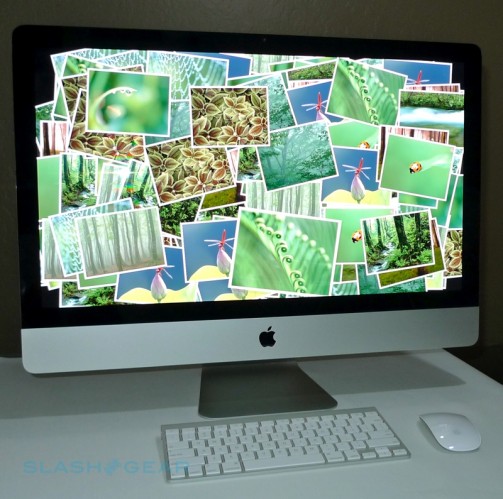
Apple’s 27-inch iMac did the Cupertino company proud when we reviewed the Core 2 Duo model last month, but trouble is afoot with the freshly-shipping Core i7 models. Various Apple support forum threads are suggesting that not only are some Core i7 iMacs turning up DOA and refusing to power on, others have hit desktops only for their eager buyers to discover the glass screen has cracked.

Neither of those is a particularly happy situation when you’ve just spent in excess of $2,000 on a high-end computer. The cracked glass issue is being blamed on both shipping companies (whether those responsible for getting the iMacs to the Apple Stores, or direct to consumers for online orders) and insufficient packaging inside the box itself, and generally seems to be happening around the lower left-hand corner of the display. Apple are replacing the iMacs, but deliveries don’t seem to be expected to take place until early December.

As for the DOA issue, it’s a similar frustration in terms of the delay in sourcing a new unit. The Core i7 iMacs are built-to-order, and despite Apple customer support telling some owners that their replacement will be priotized over other customers, that doesn’t necessarily seem to be the case.
Read More